

CDN
CDN endpoints route HTTP(S) traffic through bunny.net’s edge network, improving performance and reducing latency based on user location.For more information about CDN, see our CDN
documentation.
- Go to Magic Containers and select your container.
- Click Endpoints, then Add New Endpoint.
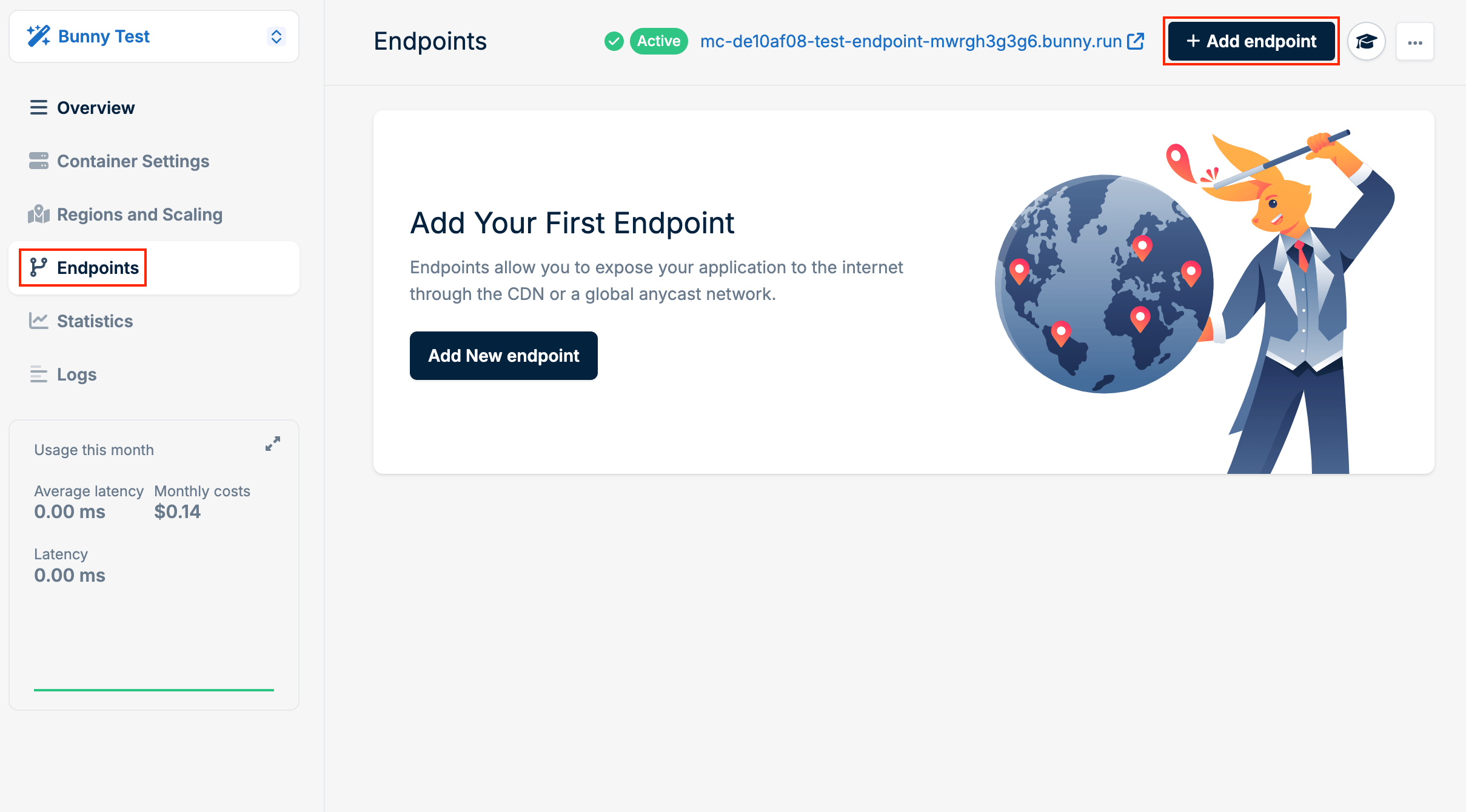
- Select CDN as the type.
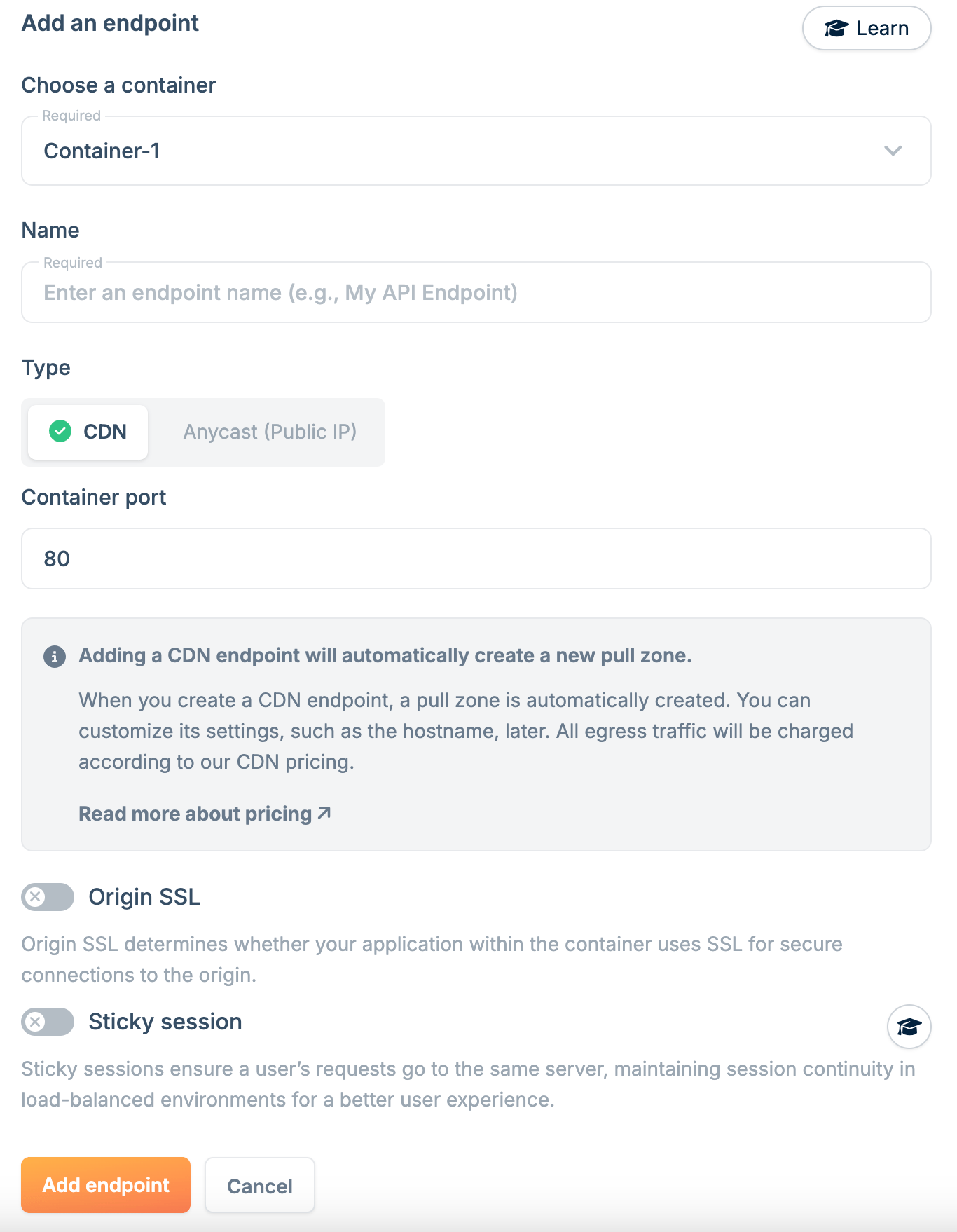
- Configure the endpoint:
- Name: A unique name for this endpoint.
- Container Port: The port your application listens on.
- SSL for origin: Enable if your application uses SSL internally.
It’s recommended to run one process per container. If running multiple
processes, ensure they use different ports.
- Click Add Endpoint.
Sticky sessions
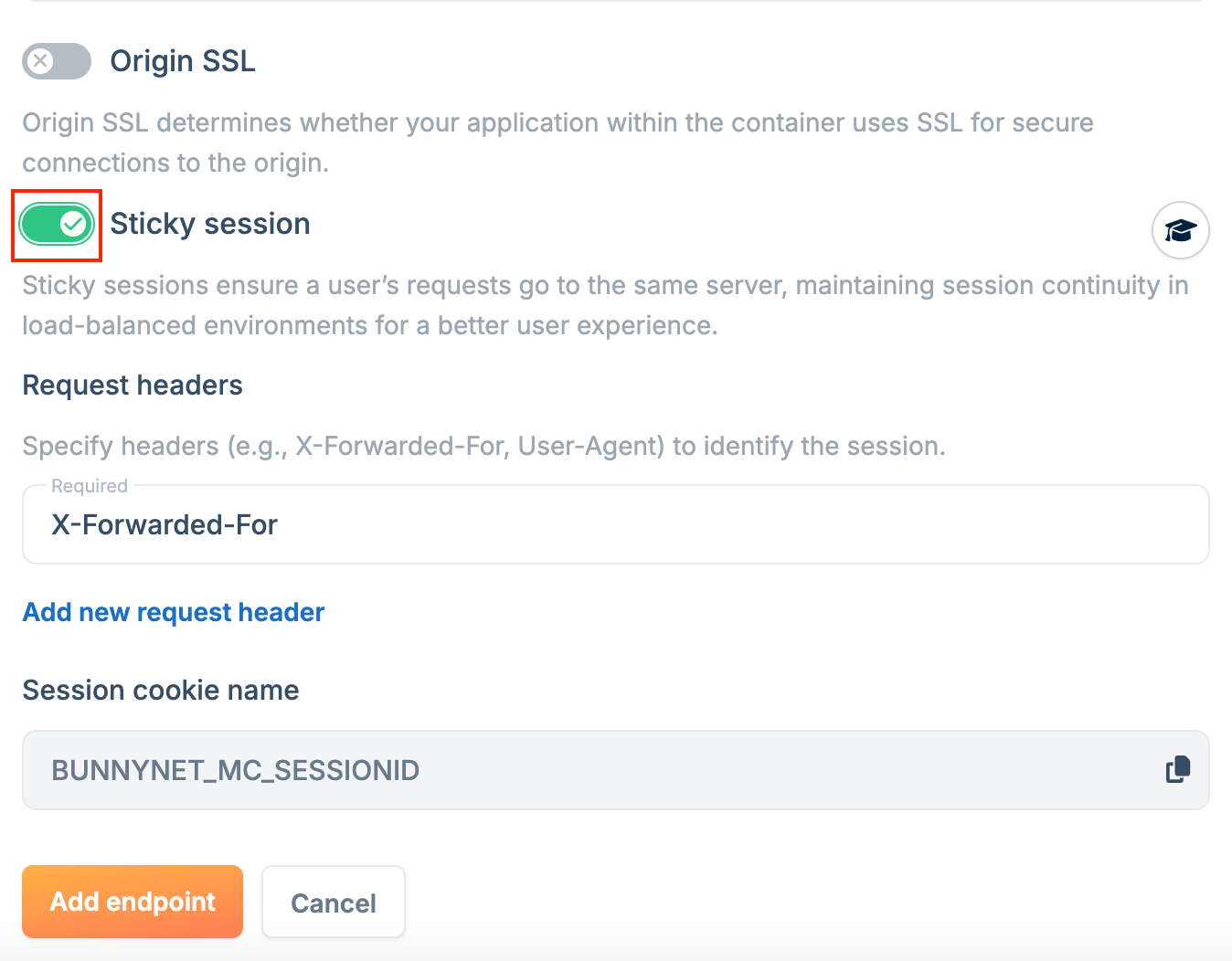
Sticky sessions ensure all requests from a client are routed to the same server instance, maintaining session state across requests. To enable sticky sessions:- In the endpoint configuration, select Sticky Session.
-
Choose an identifier (headers like
X-Forwarded-FororUser-Agent, or cookies likeSessionID). - Click Add Endpoint.
Server-Sent Events
A CDN endpoint delivers Server-Sent Events without extra configuration, because an event stream is standard HTTP traffic. Your container writes the events, and the edge streams them to the client. Three points apply to a container that serves an event stream:- Send
Cache-Control: no-cachewith the stream, and flush every event immediately. A CDN endpoint caches an event stream like any other response. See Keep the stream out of the cache. - Send a heartbeat at least every 30 seconds, because the edge closes a stream that carries no data. See Keep the stream active.
- A rolling update or a scale-in closes the streams that an instance holds. Handle
SIGTERMas described in Graceful Shutdown, and the client reconnects to another instance.
Anycast
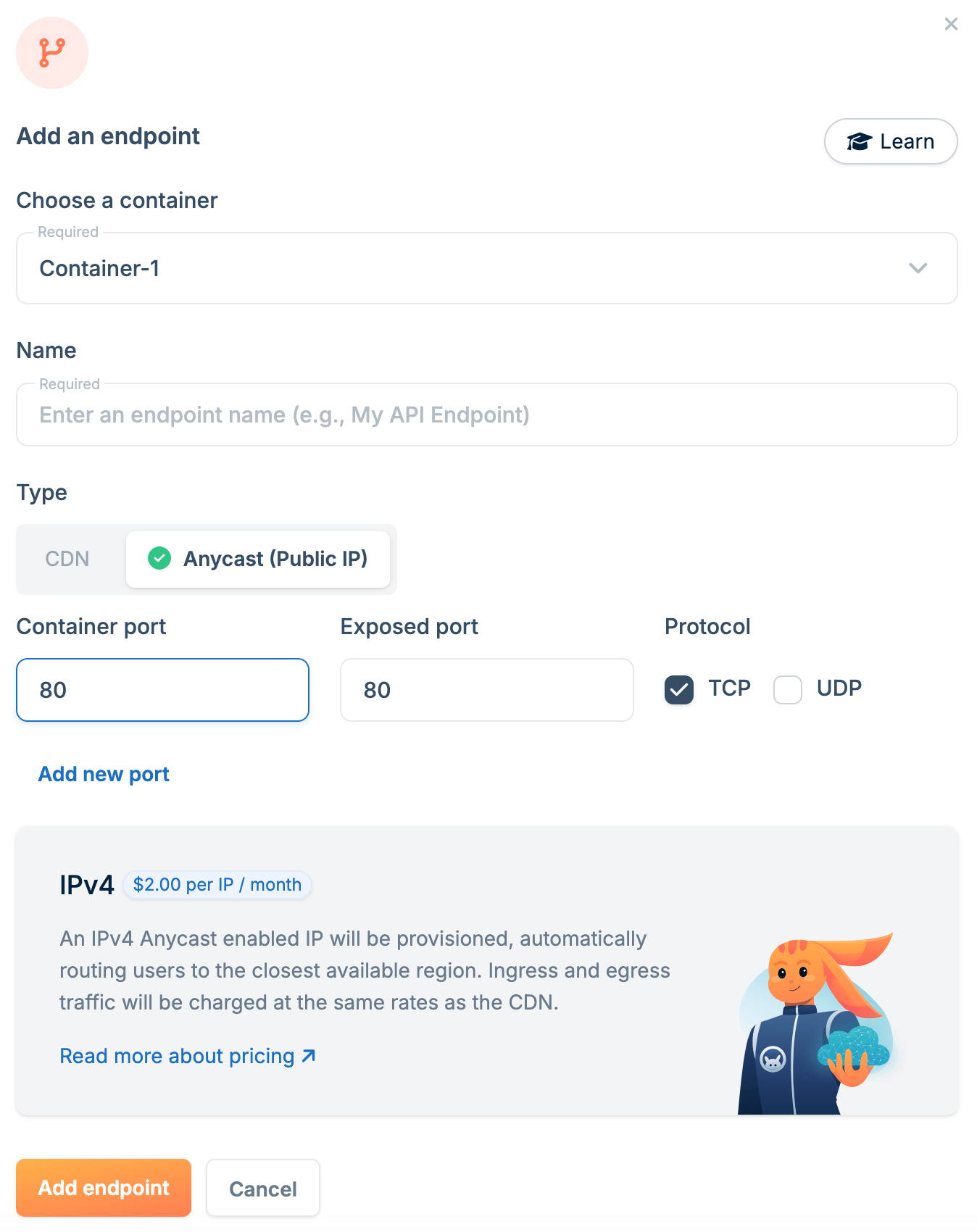
Anycast endpoints map your container to an Anycast IP address, routing requests to the nearest node for improved performance. To create an Anycast endpoint:- Go to Magic Containers and select your container.
- Click Endpoints, then Add New Endpoint.
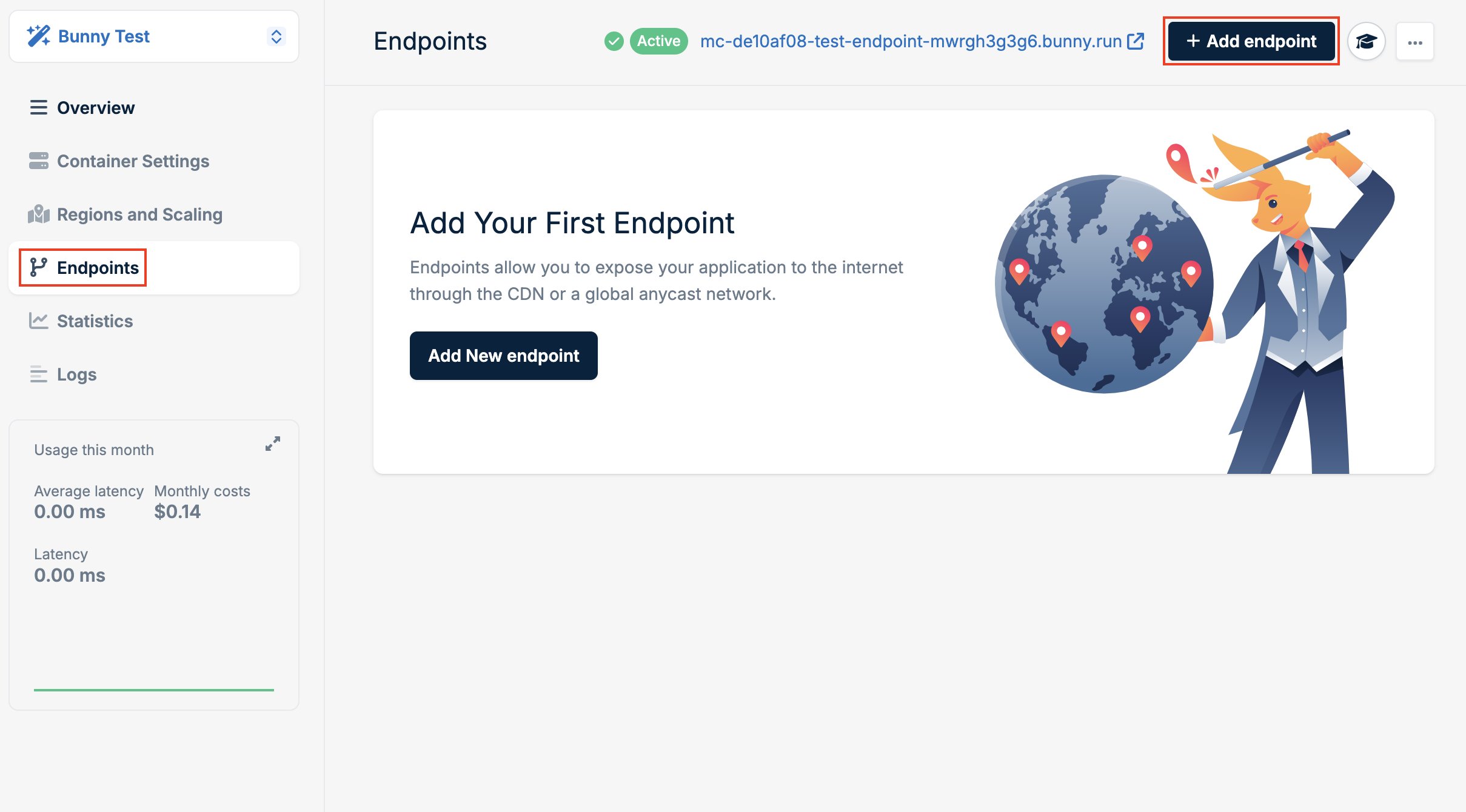
- Select Anycast as the type.
-
Configure the endpoint:
- Name: A unique name for this endpoint.
- Container Port: The port your application listens on inside the container.
- Exposed Port: The port available on the Anycast IP.
- Click Add Endpoint.