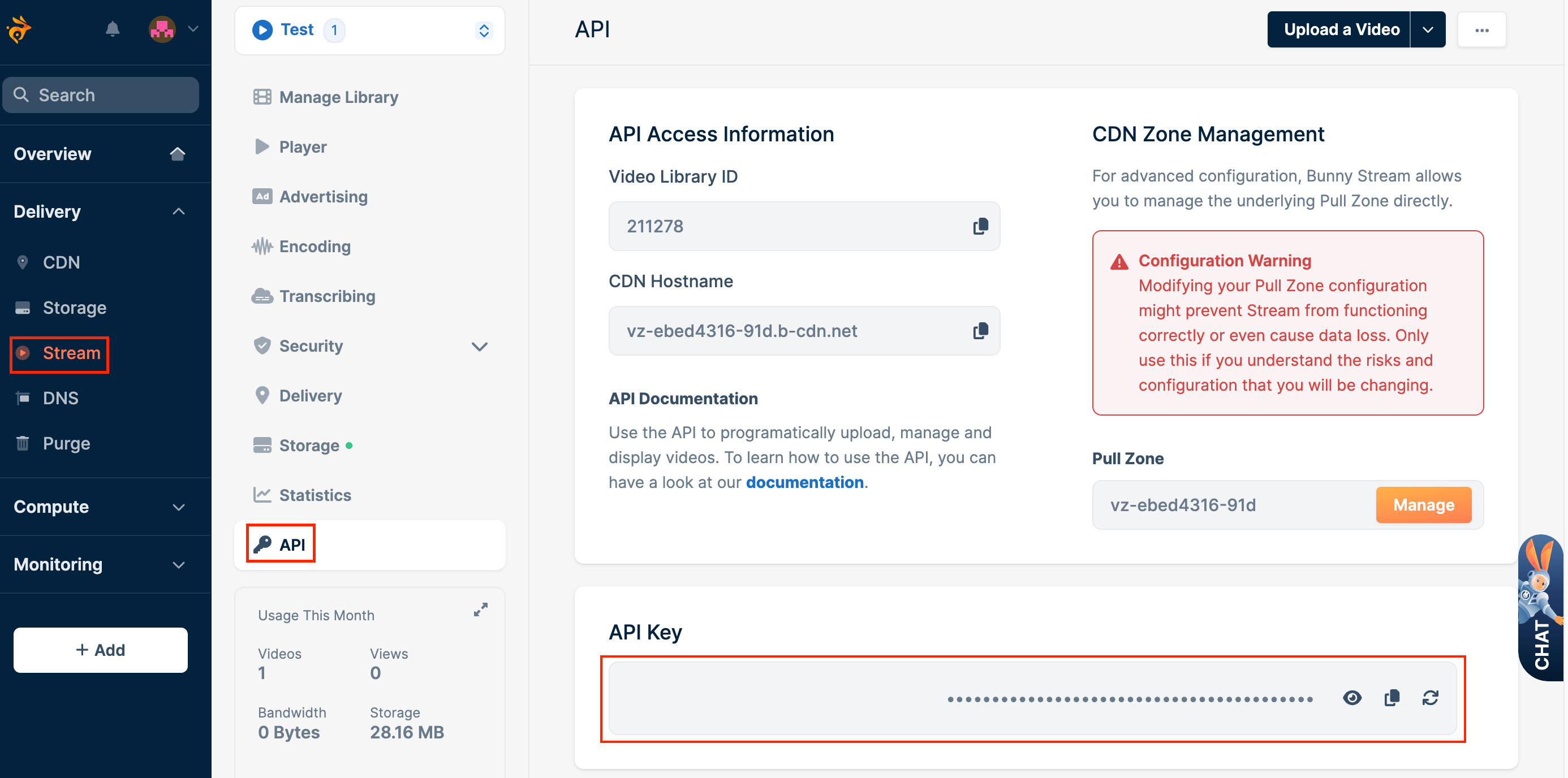
Learn how to find your Stream API key to upload videos, manage content libraries, and more via the HTTP API.
Every request to the Bunny Stream HTTP API is authenticated with a per-library Stream API key. This guide walks through where to find that key in the dashboard so you can start uploading and managing videos programmatically.
A video library already created. It can be done via Website (Follow “Step 1” in the Stream Quickstart to create a video library. An incorrect library ID will result in upload failure) or via API (use the “Add Video Library” HTTP call explained in the Stream API Reference guide).