

Adding environment secrets
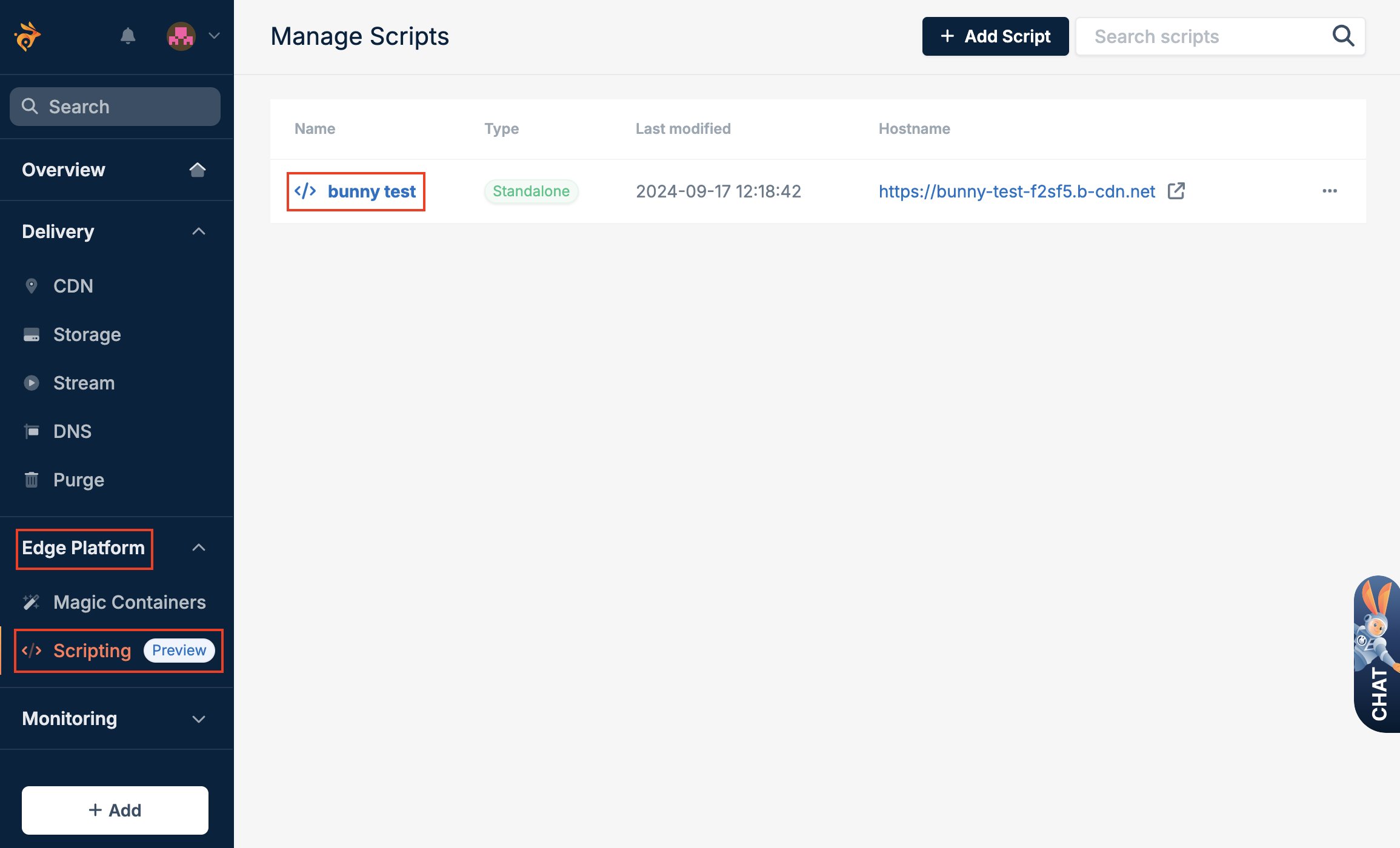
To add a secret to your script:- Log in to the bunny.net dashboard.
- Select Edge Platform, click on Scripting, and select the script.
- Select Env Configuration and Environment Secrets, and fill in the details of the secret you want to create.
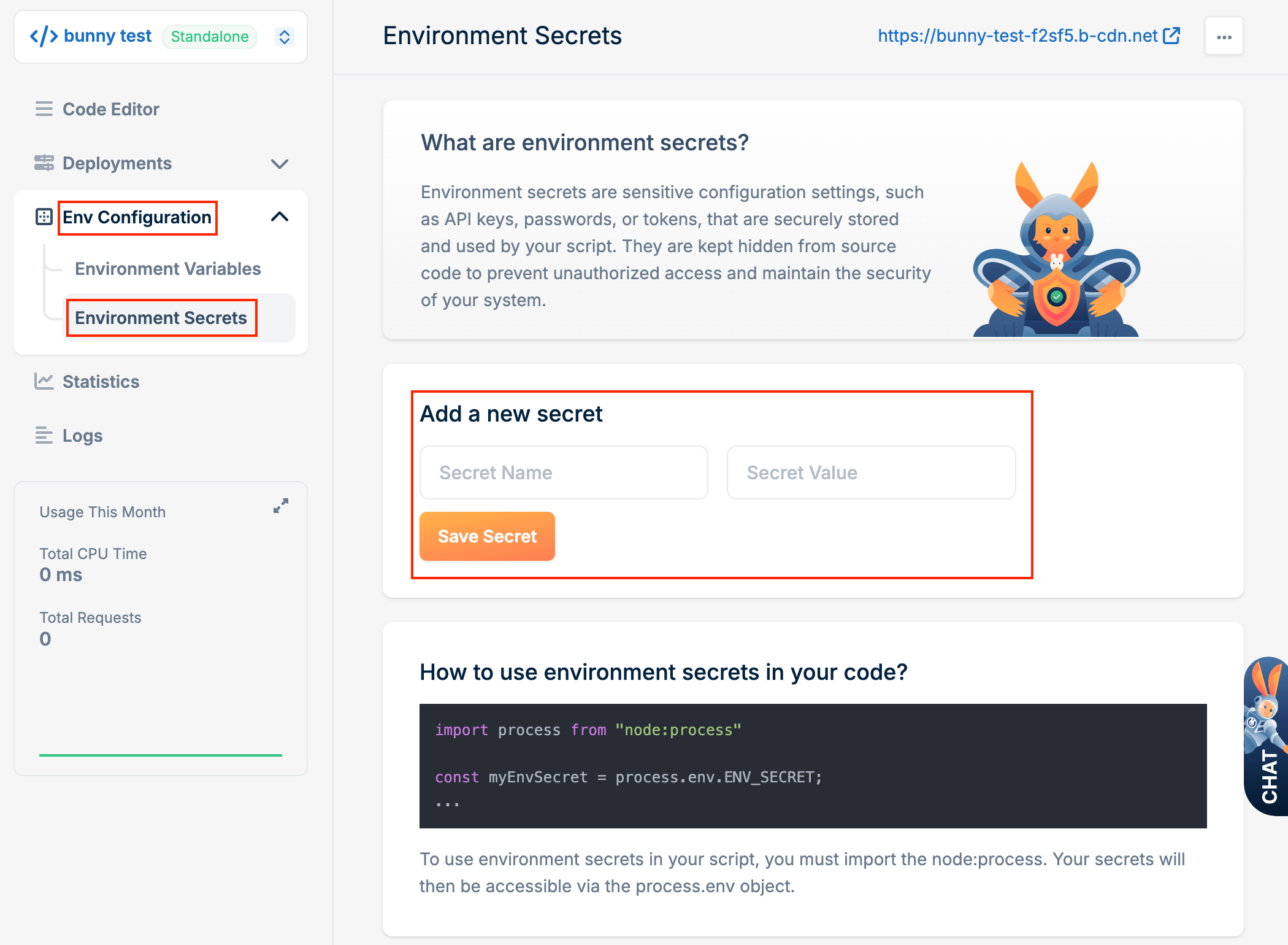
- Click Save Secret.
Using environment secrets
Environment secrets are accessed in the same way as environment variables, using either the Node.js process module orDeno.env.
Deno.env.get():
Names of environment variables and secrets on the same script must be unique.
You cannot use the same name for both a variable and a secret.